
Starter
A simple scrolling menu with 2 dishes per row, each with a picture.
₹199/ month
Or ₹1,999 a year. Save ₹389
- Scrolling menu, 2 Dishes per row
- No AR Dishes
- No Dish Videos
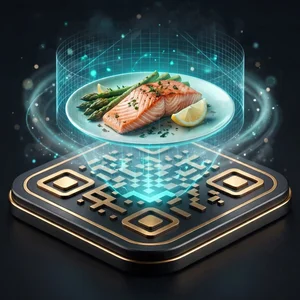

ART gives restaurants, cafés and hotels a QR code menu that shows dishes in 3D on the table, with plans from ₹199 to ₹1,199 a month and a free first month, no credit card required.
Your dishes come to life in 3D right on the table, so diners see exactly what they're ordering and choose with confidence.
No credit card needed
Your first month is on us. If you don't like it, cancel and you don't pay anything.
Three simple steps to get your menu live, then add 3D dishes using just your phone.
From first message to QR codes on your tables.
Choose your plan, then message us on WhatsApp or email with the plan name, your name, restaurant name, email address and phone number. Our team creates your ART account on that plan and sends you your login details.
No long data entry. Upload photos of your current menu, and our AI creates your food categories and dish entries with their names and details. It also adds a default picture for each dish, which you can change any time.
Create as many QR codes as you need, one for each table or hotel room. Print them yourself, or ask us to print them for you.
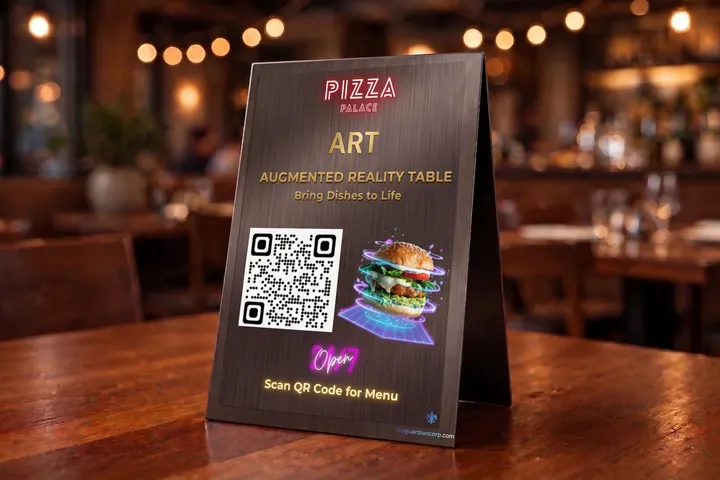
No 3D software and no agency. Scan the dish with KIRI Engine on your phone, upload it, and we do the rest.


Put the plated dish on a table and walk slowly around it with the KIRI Engine app open. It takes a couple of minutes, and the app saves a 3D scan of the dish.
Log in to your ART dashboard and upload the scan. Then add the dish name, price, description and any dietary labels.
We convert your scan into a small, phone-friendly 3D model that shows the dish at its real size on the table.
Place the QR codes on your tables. Guests scan with their iPhone or Android camera and your menu opens in their browser, with no app to download.
With a PDF menu, guests pinch and zoom and still can't see the food. With ART, they see photos, short videos and the dish itself on their table.
The guest points their phone camera at the QR code on the table, and your menu opens in their browser.
They swipe through photos and short videos of your dishes and read your notes on each one.
They tap 'View in AR' to place the dish on their table and check the portion size before ordering.
Guests place their order straight from the menu on their phone, and it goes directly into the CRM/POS system you already use.
What your guests see on their phones, and the simple dashboard your team uses to keep the menu up to date.
Guests can place a 3D version of your dish on their own table, at real size, before they order.
Add short clips of your dishes, like a sizzling tandoori platter or a biryani handi being opened, and they play right inside the menu.
Label dishes as veg, non-veg, Jain or Halal so guests can spot what suits them without asking.
Scan a plated dish with the free KIRI Engine app, upload it, and we turn it into a 3D model for your menu.
Update a price or mark a dish as sold out, and every table's menu changes right away.
Get a printable QR code for each table. Guests scan it and your menu opens on their phone.

See how ART compares with PDF QR menus, printed menus and hiring a 3D agency.
Swipe left to see all columns →
| Capabilities & Pricing | ART | Generic PDF QR | Paper Menus | Custom 3D Agencies |
|---|---|---|---|---|
| Interactive 3D WebAR Table Placement | Included | |||
| Zero App Download Required | Included | |||
| Instant Price & Sold-Out Updates | Included | |||
| Cost Structure | From ₹199/mo (Flat) | ₹200 - ₹500/mo | ₹5,000+ per reprint | ₹40,000 - ₹1,50,000 setup |
| Setup Timeline | Self-serve, or assisted setup on Ultimate | 1 - 3 days | 1 - 2 weeks printing | 2 - 3 months |
| Visual Appetite Appeal | High (3D + Looping Video) | None (Static text PDF) | Low / Static photos | High |
| Sales Commission | 0% Commission | 0% - 2% fee | 0% | Variable retainer |
| Free First Month | 1 Month Free | 7 - 14 days | None | None (Advance deposit) |
Pick the plan that suits your restaurant. Every plan comes with your first month free.
A simple scrolling menu with 2 dishes per row, each with a picture.
₹199/ month
Or ₹1,999 a year. Save ₹389
Full-screen swipe menu with no AR or video extras.
₹499/ month
Or ₹4,999 a year. Save ₹989
The swipe menu, brought to life with dish videos.
₹799/ month
Or ₹7,999 a year. Save ₹1,589
Unlimited dish videos, plus dishes that appear on the table in augmented reality.
₹999/ month
Or ₹9,999 a year. Save ₹1,989
Full AR experience with assisted menu setup, on-site support and unlimited AR dishes.
₹1,199/ month
Or ₹11,999 a year. Save ₹2,389
Excluding GST(18%)
Add extra AR dishes or videos to any plan that supports them. No plan change needed.
We understand that every hotel and restaurant runs on its own timeline. Should you ever need to cancel, you may do so at any time, with no lock-in period and no cancellation charges. Any unused balance remaining in your ART account will be refunded to you in full. Our goal is customer satisfaction, not to hold you to a contract.
ART by armenu.art is a QR code menu for restaurants, cafés and hotels in India. Guests scan the QR code on their table, your menu opens in their phone browser, and they can see selected dishes in 3D on the table before they order.
Plans run from ₹199 to ₹1,199 a month, excluding 18% GST. Your first month is free and no credit card is needed.
No. The menu and the 3D view open in the phone's browser, in Safari on iPhone and Chrome on Android.
Straight answers about scanning, phones, pricing and privacy.
ART is a QR code menu for restaurants, cafés and hotels. Your guests scan the code on their table, your menu opens on their phone, and they can see selected dishes in 3D on the table in front of them before they order. It all runs in the phone's browser, so there's no app to download.
Choose a plan on our pricing page, then send us the plan name, your name, restaurant name, phone number and email address on WhatsApp or by email. We'll set up your account, email you your login details and confirm everything with you on WhatsApp.
No. Guests scan the QR code with their normal phone camera, on iPhone or Android. The menu opens straight away in their browser. No app, no account and no password.
You don't need a 3D artist. Download the free KIRI Engine app, walk slowly around your plated dish with your phone to scan it, and upload the scan to your ART dashboard. We turn it into a 3D model that's the right size and loads quickly on phones.
Dishes with a firm shape and some texture scan best, like burgers, pizzas, cakes, samosas, kebabs, tandoori platters and a plate of biryani. Glossy sauces, thin gravies, soups and clear glasses are harder. For the best result, scan in soft daylight on a plain, non-shiny plate.
Yes, on every plan. Guests order directly from the ART menu on their phone, with no app to download, and each order flows into your existing CRM/POS system.